
Call Us:- 1-866-235-8886

Airport security goes faster when you already know what’s coming out of your bag before you reach the scanner. Skip the guessing, and you skip the extra minute of fumbling while the line backs up behind you.
Most travelers still aren’t sure whether laptops, shoes, belts, jewellery, or liquids need to come off or out. The honest answer depends on the airport and its security authority, but a handful of items get pulled out almost everywhere.
If you’re flying from Canada to India, reviewing international airport security rules before you leave makes the whole trip smoother. And once you’re ready to book, book Canada to India cheap flights and pick an itinerary that actually fits your budget.
and choose an itinerary that works best for your schedule.
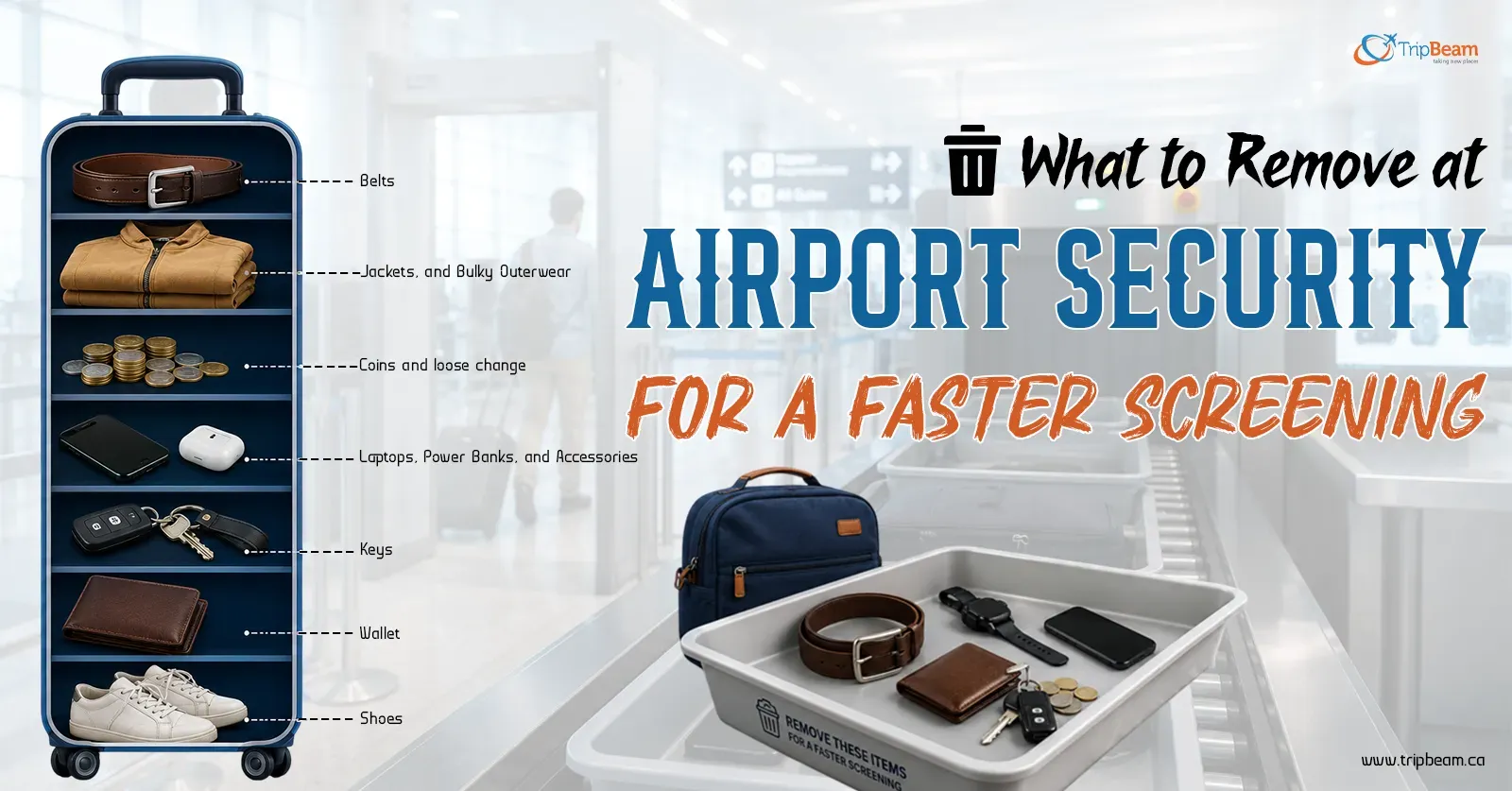
Before you reach the screening point, be ready to remove your laptop and any large electronics, liquids and gels over the limit, a belt with a metal buckle, your shoes where required, bulky jackets or outerwear, and anything metal from your pockets, phone, wallet, keys, coins, and a smartwatch if asked.
Airport security rules vary slightly between airports, but having these items ready before the checkpoint usually gets you through screening much faster.
Use this simple airport security checklist to prepare before you reach the screening checkpoint.
Liquids trip up more travelers than anything else at TSA security screening and equivalent checkpoints worldwide. On most international flights, liquids, gels, creams, and aerosols in your hand baggage must fit airport liquid limits, usually 100 ml (3.4 oz) per container, all packed into one clear, resealable bag.
Shampoo, toothpaste, perfume, face wash, sunscreen, hair gel, contact solution, all of it. Get these into one bag before you’re anywhere near the line. Nobody wants to be the person repacking a toiletry bag while everyone behind them waits.
Large electronics almost always get screened separately. Depending on the airport’s scanning technology, expect to pull out laptops, tablets, DSLR cameras, gaming consoles, and portable DVD players. Newer CT scanners at some airports let electronics stay in your bag. However, older systems still want them in their own tray, so don’t assume either way until you’re actually there.
Power banks must travel in your carry-on baggage, not checked baggage. Security rules for electronics mean they get extra attention regardless of size. Chargers, camera batteries, and any cables that block a clear X-ray image might need to come out as well. A small organizer pouch for all of this makes both the inspection and the repacking afterward noticeably faster.
If you’re still shopping for the flight itself, check Tripbeam Canada offers for affordable round trip airfares and winter travel deals that actually fit your plans.
Metal buckles set off scanners constantly. A belt with a metal buckle, a heavy jacket, a coat, a blazer, anything bulky, security may ask you to remove all of it before you walk through. Simpler travel clothing with fewer metal accents just moves faster, especially when the checkpoint’s busy.
Whether shoes come off depends entirely on the specific airport and security authority running it. Some places ask everyone to place shoes in the tray as routine. Others only pull you aside if an alarm triggers or your footwear looks unusually bulky. Slip-ons are the easiest choice for this exact reason, on and off in seconds either way.
Before the body scanner, clear out anything made up of metal, including your phone, wallet, keys, coins, earbuds, sunglasses, and your smartwatch if it’s requested. Put everything in the tray before you approach rather than emptying pockets while the line’s already waiting on you.
Small jewellery usually isn’t an issue at all. Wedding rings, small earrings, thin necklaces, hair accessories, light scarves, eyeglasses, hearing aids, all of these typically stay on you through screening without a second look.
Bigger metal pieces are a different story. Large bracelets, chunky necklaces, oversized watches, heavy bangles can all trigger the scanner and prompt a request to remove them. If you’re traveling with anything valuable, keep it in your carry-on rather than checked luggage regardless of whether it sets off the scanner.
Not everything comes off during screening. Your eyeglasses, wedding ring, small earrings, hair clips, a light scarf, hearing aids, most of this stays right where it is through screening. Prescription medicine and medical devices usually stay with you too, though don’t be surprised if they get a quick separate look.
None of this is set in stone everywhere, though. Airports run things a little differently from one to the next, so whatever the officer in front of you actually says beats any list, including this one.
If your route includes a connection, look up that transit airport’s specific security rules too, they’re not always identical to your departure airport.
Knowing what to remove at airport security ahead of time turns a stressful checkpoint into a quick one. Rules shift depending on where you’re flying from and what scanning technology the airport’s actually using, so a quick airport security checklist before each trip is worth the two minutes it takes.
Once you’ve got the packing sorted, book last minute flights from Canada to India on Tripbeam Canada for routes and fares that fit the rest of your trip.
A) Yes. Laptops and similar large electronics get screened separately. However, some airports with newer CT scanners let them stay in your bag.
A) It depends on the airport. Some require it for everyone, others only ask if an alarm triggers or your shoes look bulky.
A) Yes, but within limits. Most international airports cap individual containers at 100 ml (3.4 oz), all fitting inside one clear resealable bag.
A) Sometimes. If it’s got enough metal to trigger the scanner, an officer can ask you to remove it.
A) Yes, prescription medicines are fine, though they might get a separate check. Keep them in original packaging if you can.
A) It depends on the item. You’ll either dispose of it, check it if there is time, or hand it over before continuing through.
A) Most solid foods are fine in carry-on, though rules vary by airport. Liquid-like foods, sauces, spreads, dips, usually fall under the same liquid restrictions.
A) It depends what it’s made of. A metal buckle usually sets off the scanner, so most officers will ask you to take it off before you walk through. A plastic or fabric buckle often gets a pass.
A) No, take it out. Phones are exactly the kind of thing that trips the metal detector, so it goes in the tray with your wallet, keys, and everything else metal.
Tell us more details to help better